Return to navigation page or list derivations
| step | inference rule | input | feed | output | step validity (as per SymPy) |
|---|---|---|---|---|---|
| 1 |
|
|
|
|
valid |
| 2 |
|
|
|
|
LHS diff is -pdg0004567**2 + pdg0008656**2 RHS diff is 2*pdg0005156*pdg0006277*(-pdg0002530 + pdg0004518)/(pdg0002530*pdg0004518) |
| 3 |
|
|
|
|
valid |
| 4 |
|
|
|
|
valid |
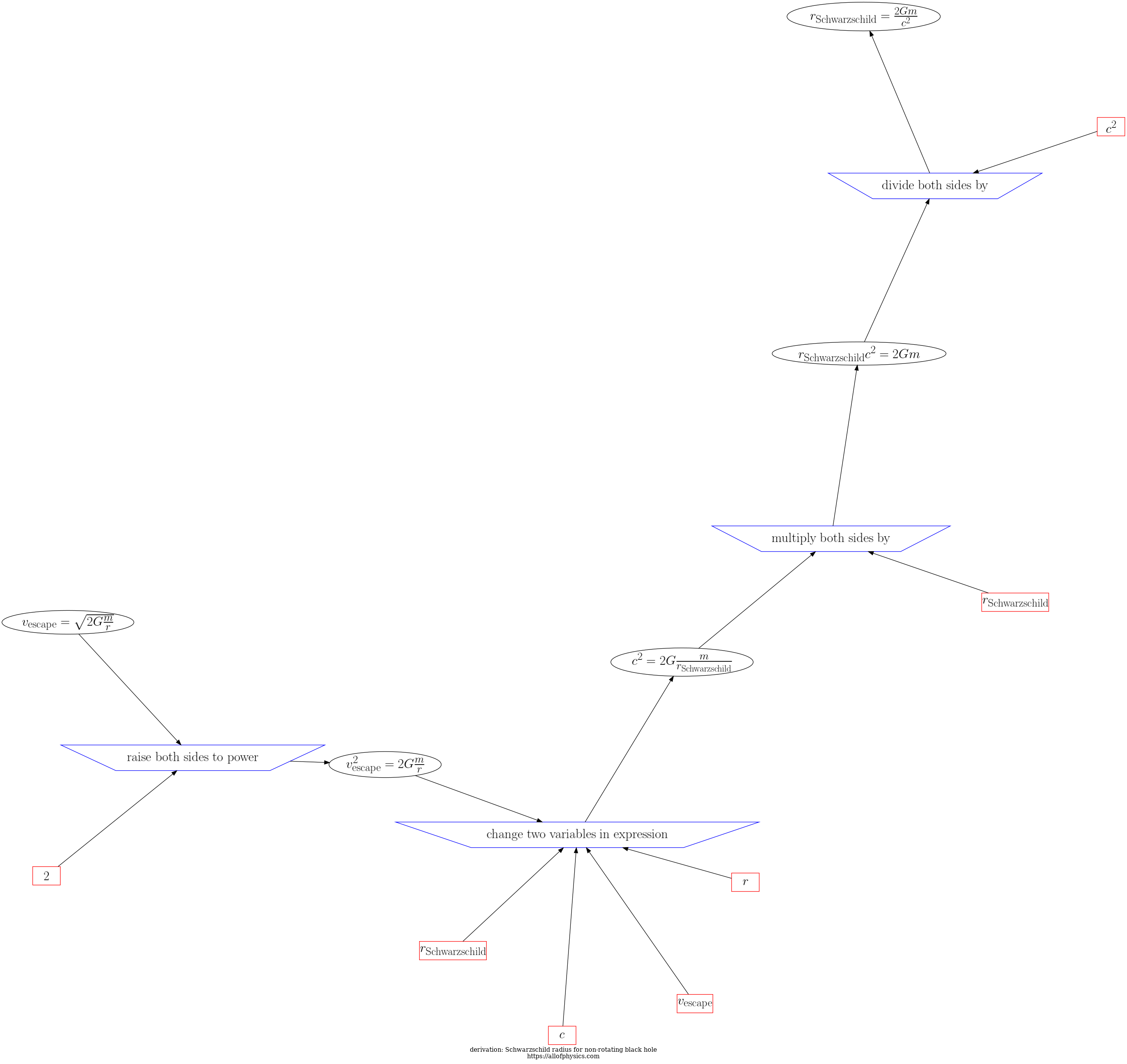
d3js visualization of steps and expressions in Schwarzschild radius for non-rotating black hole
pdg_app/to_review_derivation 7f86c632-f04a-474b-87ae-c0f36bfafcb5compute/get_dict_of_steps_in_derivation: steps_in_this_derivation288e1ec8-8cc7-4955-ae97-cc4ce5a31e8bcompute/input_feed_output_infrule_for_step: get_inference_rule_connected_to_step_ID288e1ec8-8cc7-4955-ae97-cc4ce5a31e8bcompute/input_feed_output_infrule_for_step: get_expressions_from_step_id_and_expr_type HAS_INPUT288e1ec8-8cc7-4955-ae97-cc4ce5a31e8bcompute/input_feed_output_infrule_for_step: get_expressions_from_step_id_and_expr_type, HAS_FEED288e1ec8-8cc7-4955-ae97-cc4ce5a31e8bcompute/input_feed_output_infrule_for_step: get_expressions_from_step_id_and_expr_type, HAS_OUTPUT288e1ec8-8cc7-4955-ae97-cc4ce5a31e8bcompute/get_dict_of_steps_in_derivation: get_sequence_index_for_step288e1ec8-8cc7-4955-ae97-cc4ce5a31e8bpdg_app/ 7f86c632-f04a-474b-87ae-c0f36bfafcb5